
Best Wedding Photo Sharing Apps in 2026
Comparing the best wedding photo sharing apps in 2026 based on guest friction, upload reliability, event fit, and how useful they are in the moment.
Wedding photo workflow editor
Key takeaways
- The best wedding photo sharing app is the one guests actually use during the wedding — low friction beats a long feature list.
- Judge apps on QR access with no guest download, upload reliability, event-specific flow, and whether you get usable photos back.
- Shared albums are good at storage but weak at participation; choose a live gallery for an archive or a delayed reveal for anticipation.

The best wedding photo sharing app is not the one with the longest feature list. It is the one guests will actually use while the wedding is happening.
That usually comes down to four things:
- how fast guests can join
- whether they need to install anything
- whether the experience feels like part of the wedding
- how cleanly the photos end up in one place
This guide focuses on those criteria instead of inflating small feature differences into major buying decisions.
Comparison criteria
Here is the framework worth using:
Guest friction
If people need to create accounts, download an app, or figure out multiple steps, participation drops.
Collection quality
Does the tool gather photos in the moment, or mostly rely on later uploads?
Wedding fit
Does it feel like a shared event experience, or just another storage utility?
Control
Can you shape the experience with timing, visibility, or contribution rules?
Clarity
Will a guest understand what to do in under ten seconds?
Best types of wedding photo sharing apps
1. Event-specific guest photo apps
This is the strongest category if your goal is active participation. These tools are built around a wedding or event, not just a folder.
The best ones usually support:
- QR-based joining
- guest-first capture flow
- a clear event identity
- one shared destination
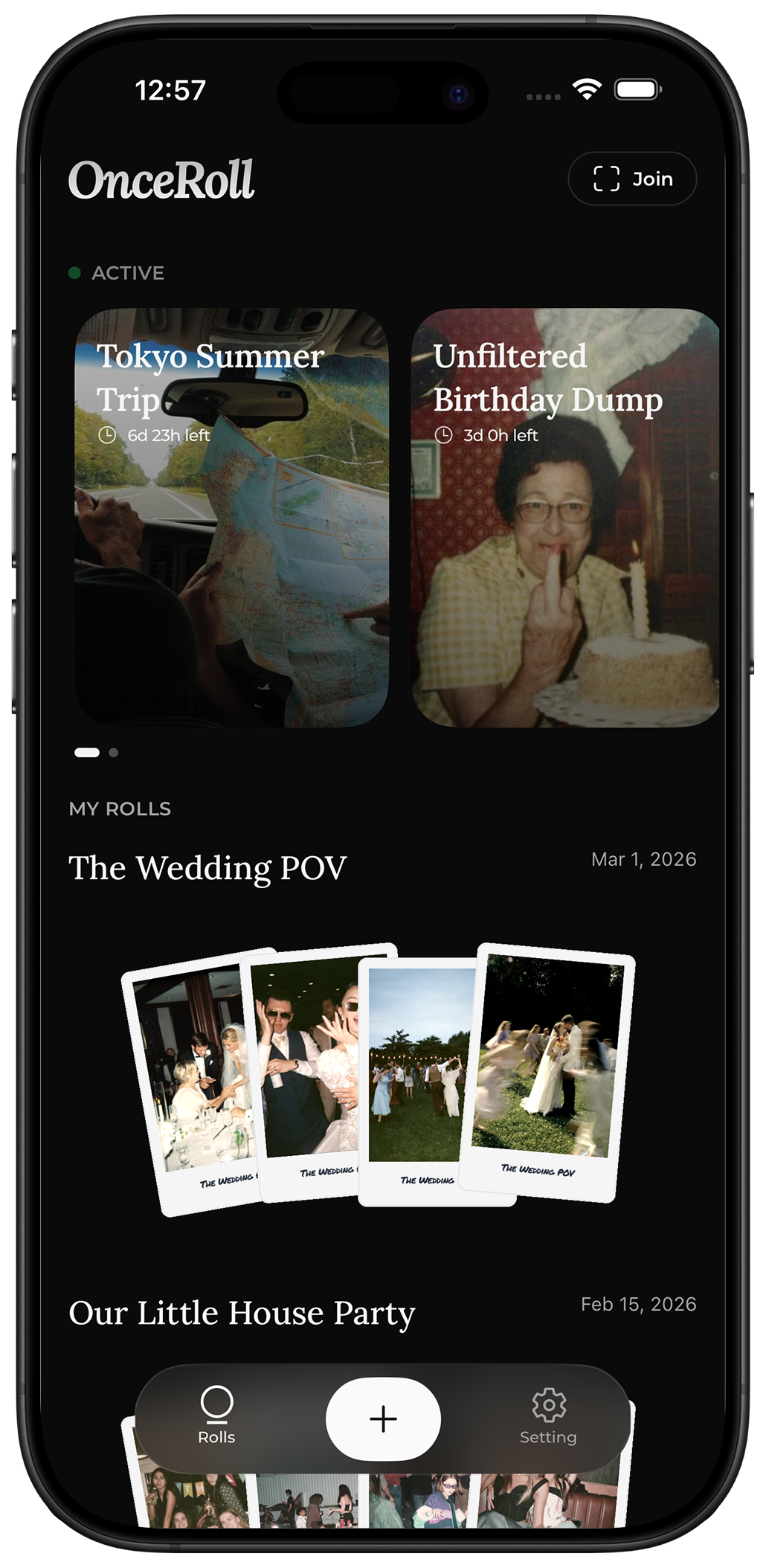
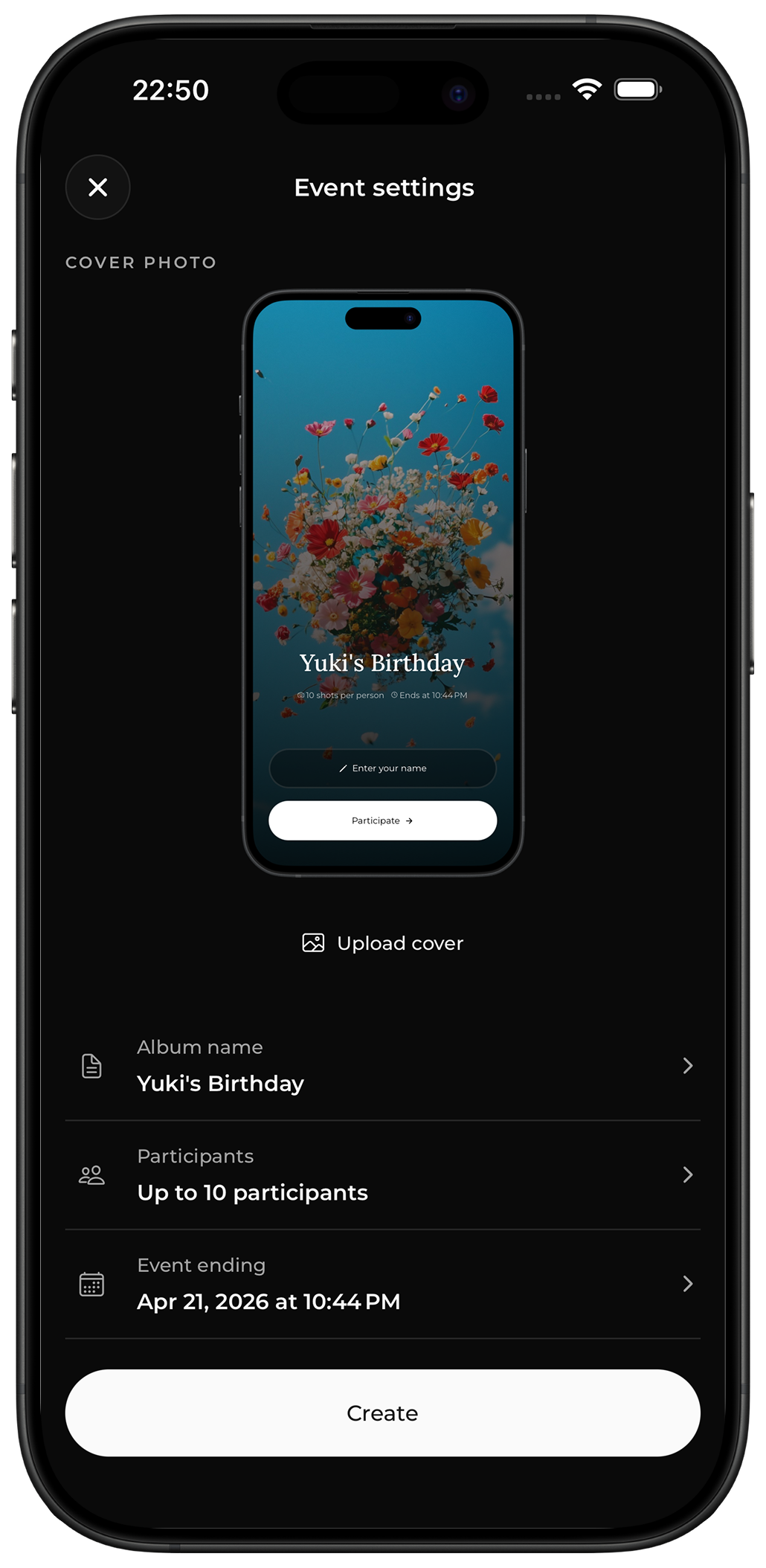
OnceRoll fits this category, with a specific emphasis on the digital disposable camera feeling: QR join, no guest app, shared roll behavior, shot limits, and a reveal-later structure.
2. Shared album tools
These are good for simple collection and broad compatibility. They are weaker at creating momentum during the wedding itself.
Strengths:
- familiar
- flexible
- useful as a backup archive
Weaknesses:
- more passive participation
- less event feeling
- easier for guests to postpone
3. General file upload tools
These are rarely the best primary choice. They prioritize storage over guest behavior. Fine for back-office collection, weak for in-room use.
A practical ranking framework
Instead of pretending one app is objectively best for everyone, rank your options like this:
Best for in-the-moment participation
Choose an event-first product with QR-based access and minimal setup.
Best for simple archiving
Choose a shared album.
Best for playful wedding energy
Choose a product that turns participation into part of the event, especially if it supports shot limits or delayed reveal.
Best for low guest friction
Choose a tool that does not force every guest to install an app.
How to choose
Use this decision sequence:
- Decide whether your primary goal is storage or participation.
- Check if guests need an app download.
- Test how fast a first-time guest can join from a QR code.
- Decide whether you want live sharing or a reveal later.
- Choose the tool that matches the wedding experience you want, not just the feature checklist.
If your wedding is more about candid contributions than live gallery management, the shared camera model is usually stronger than a generic album.
Before you choose, test the exact guest journey on two different phones. A good tool should answer three questions without help: where do I start, what should I add, and what happens after I share it? This practical test is more useful than comparing a long feature table.
Your evaluation checklist
- Can a guest join in under 15 seconds?
- Does the tool work well from printed signage?
- Does it feel understandable without a tutorial?
- Does it collect photos during the event, not just after?
- Can you keep the experience intentional instead of chaotic?
- Will older or less technical guests still manage it?
What usually goes wrong
Couples compare screenshots instead of workflows
A polished UI matters less than whether guests complete the action.
They overvalue admin features
Hosts care about settings. Guests care about speed.
They ignore app-download friction
This is the most common adoption killer.
They choose a tool that feels too generic
When the experience does not feel tied to the wedding, people treat it like optional admin.
FAQ
What is the best wedding photo sharing app for guests?
Usually the one with the least friction and the clearest event-specific flow. For many weddings, that means QR access and no guest app requirement.
Are shared albums enough?
Sometimes, yes. But they are generally better at storage than participation.
Should we choose a live gallery or delayed reveal?
A live gallery fits a practical archive mindset. A delayed reveal works better if you want anticipation and a more intentional shared-camera feel.
Is this separate from a wedding photographer?
Yes. Guest-photo sharing apps capture the room from many perspectives. Professional photography still handles the formal story.
Final CTA
If you want a wedding photo sharing app that feels like part of the event instead of an admin tool, focus on guest friction first. OnceRoll is built for that exact use case, with QR joining, no guest app, a shared Roll, shot limits, and a delayed reveal that keeps the experience cohesive.
Related reading
Keep building the rest of the workflow

Wedding Hashtag Ideas: 120 Examples and How to Pick One Nobody Else Is Using
The best wedding hashtags are short, read cleanly in lowercase, and don't already belong to a stranger. Here's how to build one, with 120 examples.

17 Wedding Moments Your Photographer Might Miss
Your photographer cannot be everywhere at once. A few thoughtful guest-photo prompts can preserve the small perspectives happening all around you.

Bridal Shower Photo Sharing: A Simple Way to Keep Every Sweet Moment
A bridal shower is full of small moments that one host cannot see. Give guests an easy way to add their favorite photo without interrupting the day.