
Digital Wedding Guest Book: A Simple Way to Keep Every Guest Memory
A digital wedding guest book can collect photos, short videos, or voice messages from the people at your wedding. Here is how to choose a format and set it up simply.
Event guestbook editorial team
Key takeaways
- A digital wedding guest book is a private collection of guest photos, short videos, voice messages, or notes you keep after the wedding.
- Pick one format first: photos for candid moments, video for toasts and reactions, voice for the most personal messages.
- Give guests one entry point — a QR code or private link — and one short instruction at the moment you want them to contribute.
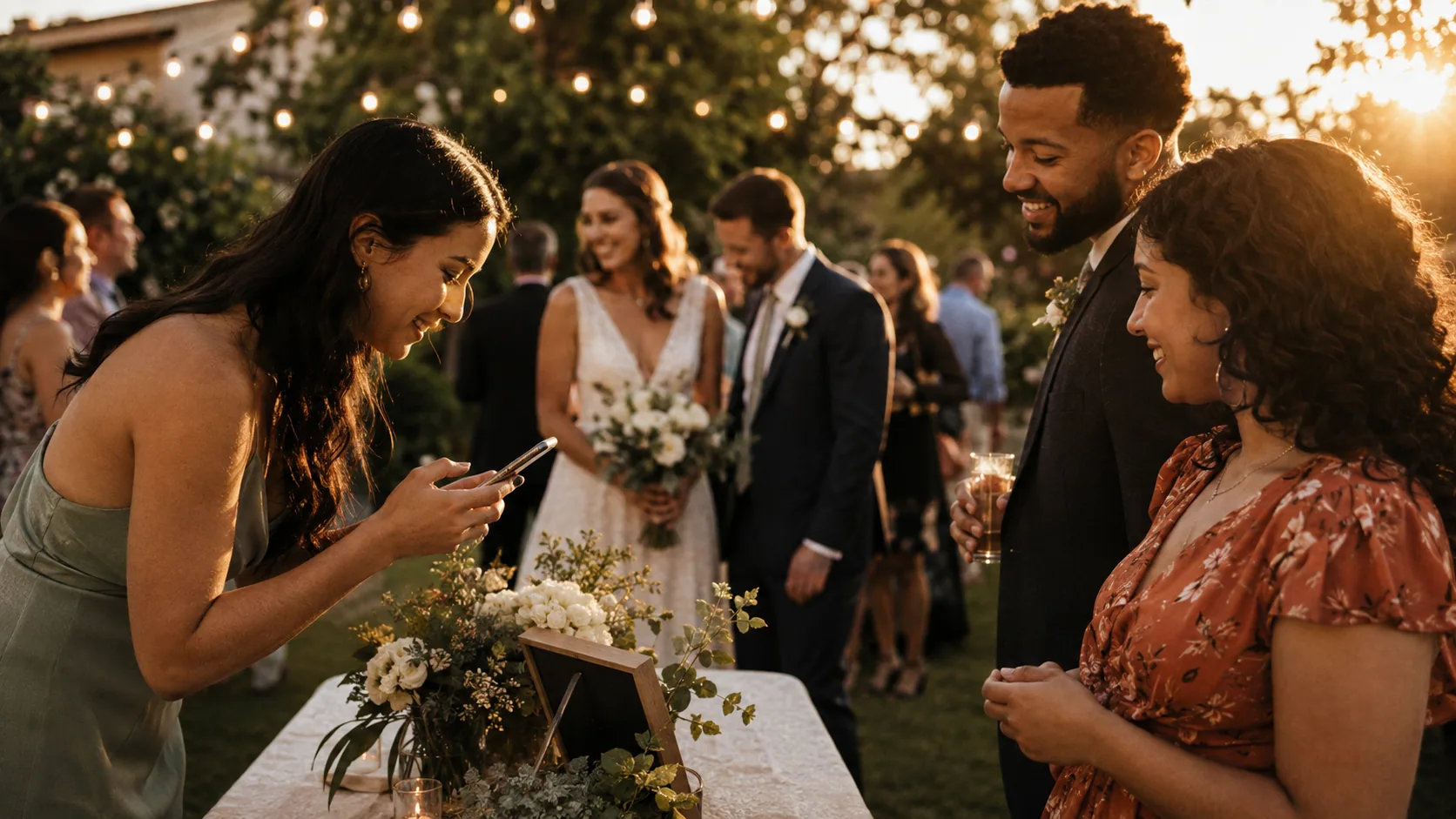
A digital wedding guest book is a private place to collect memories from the people at your wedding. Instead of asking everyone to sign a blank page, you can invite them to add a photo, a short video, a voice message, or a written note. The simplest version works because it asks guests to do one small, clear thing while they are already sharing the day with you.
The best choice is not the format with the most features. It is the one that matches the memory you most want to keep. Choose photos for candid moments you may never see otherwise, short videos for faces and reactions, or voice messages for stories you will want to hear again years from now.
Choose one kind of memory first
Trying to collect everything in one place can make a guest book feel confusing. Decide what you want a guest to contribute before you decide on a design.
- Photo guest book: Best for spontaneous dancing, table moments, arrivals, and perspectives your photographer may miss.
- Video guest book: Best for short toasts, reactions, and messages for the couple to watch later.
- Voice guest book: Best for family stories, advice, funny memories, and messages that feel more personal than text.
- Written guest book: Best when you want a familiar, quiet activity guests can complete at their own pace.
You can absolutely use more than one kind of keepsake at a wedding. Just make each invitation clear. A guest should not have to decide whether their phone should take a photo, record a video, or type a note while they are standing in front of a sign.
For more format ideas, start with these wedding guest book alternatives or compare a dedicated wedding video guestbook with a traditional paper book.
Build an easy guest path
Most guests will not study instructions. They will give you a few seconds of attention between a hug, a drink, and a conversation. Make the path obvious:
- Pick one action. For example: “Add one photo from tonight” or “Leave us a 20-second message.”
- Use one way in. Put the same private link or QR code wherever you invite participation.
- Write one sentence of context. Tell guests why their contribution matters, not only what button to press.
- Choose the right moment. Arrival, cocktail hour, a quiet lounge, and the start of dancing all work better than an afterthought near the exit.
- Ask one person to remind the room. A wedding-party member, DJ, or host can make the invitation feel welcome instead of optional signage.
If you use a browser-based guest book, test the flow on a phone before the event. A guest should be able to join without creating an account, downloading an app, or asking what happens next.
Give people something to say
The blank-page problem applies to digital guest books too. A gentle prompt helps guests contribute without turning the moment into homework. Keep one prompt visible at a time:
- Share a moment from today we may have missed.
- Leave a message for us to open on our first anniversary.
- Tell us your favorite memory with one of us.
- Describe this wedding in three words.
- Give us one piece of advice we will actually use.
For photo participation, try a small, playful goal instead: “Catch a laugh at your table,” “Take one photo after sunset,” or “Show us your view of the dance floor.” The point is to give guests a reason to look up and notice the room.
Decide when you want to see the memories
There are two good approaches. A live collection can create energy during the party, especially for photos. A controlled reveal keeps every contribution feeling like a surprise when you are ready to sit down together. Neither is better; choose based on whether the guest book is part of the night’s entertainment or a keepsake for after it.
For a private, browser-based option, OnceRoll lets an iOS host create one photo, video, or voice guest book at a time. Guests join from a modern phone browser, without a guest account or app, and the host can set contribution limits and a reveal plan. The useful part is not the QR code itself; it is making it easy for people who love you to add their point of view.

Keep the setup human
Do not put the only invitation beside gifts and assume everyone will notice it. Repeat the same invitation in two or three natural places: a welcome moment, a table card, and the area where you want guests to take part. A short spoken reminder is often more effective than a larger sign.
Also, make room for guests who do not want to use a phone. A small paper card with the same prompt, or a friend willing to help an older relative record a message, keeps the activity inclusive. The goal is not a perfect participation rate. It is a collection that sounds and feels like the people who were there.
A practical digital guest book timeline
Set aside ten quiet minutes a week before the wedding to make the guest path real. Decide the single media format, create the collection, and open the invitation on two different phones. Check that the person testing it understands the request without you explaining it. If they pause or ask what they should contribute, shorten your prompt rather than adding more instructions.
On the day, the guest book needs one owner even if that person is not you. Give a trusted friend the simple job of placing the invitation, checking that it has not been covered by flowers, and offering help when someone wants to participate. They do not need to persuade every guest. They only need to make the first few contributions feel easy; people are much more likely to join after they see a friend doing it.
After the wedding, protect a little time to open the collection together. Do not treat it as another task on the cleanup list. Make coffee, sit down, and let the funny photos, half-finished toasts, and familiar voices arrive in the order they were shared. That is the payoff of choosing a format with intention rather than collecting files in a rush.
If you are unsure where to begin, choose the format that would make you happiest to receive from the people in the room. That answer is usually the right guest book.
FAQ
What is a digital wedding guest book?
It is a private collection of guest-contributed photos, short videos, voice messages, or written notes that you keep after the wedding.
Should a digital wedding guest book use photos, videos, or voice messages?
Choose the one format that best fits your goal. Photos are easiest for candid moments, video suits toasts and reactions, and voice is especially personal for stories and advice.
How do guests use a digital wedding guest book?
Give guests one clear entry point, such as a QR code or private link, and one short instruction at the moment you want them to contribute.
Related reading
Keep building the rest of the workflow

60 Wedding Guestbook Questions That Get Real Answers
A clear question gives guests something more useful to leave than a rushed signature and a generic congratulations.
15 Wedding Guestbook Alternatives Guests Will Actually Use
A wedding guestbook does not need to be a book. The best alternative gives guests a simple way to leave a memory that fits your wedding.
45 Wedding Guest Book Sign Wording Ideas Guests Will Actually Read
A useful guest book sign tells guests exactly what to do, gives them a reason to do it, and stays short enough to read at a glance.